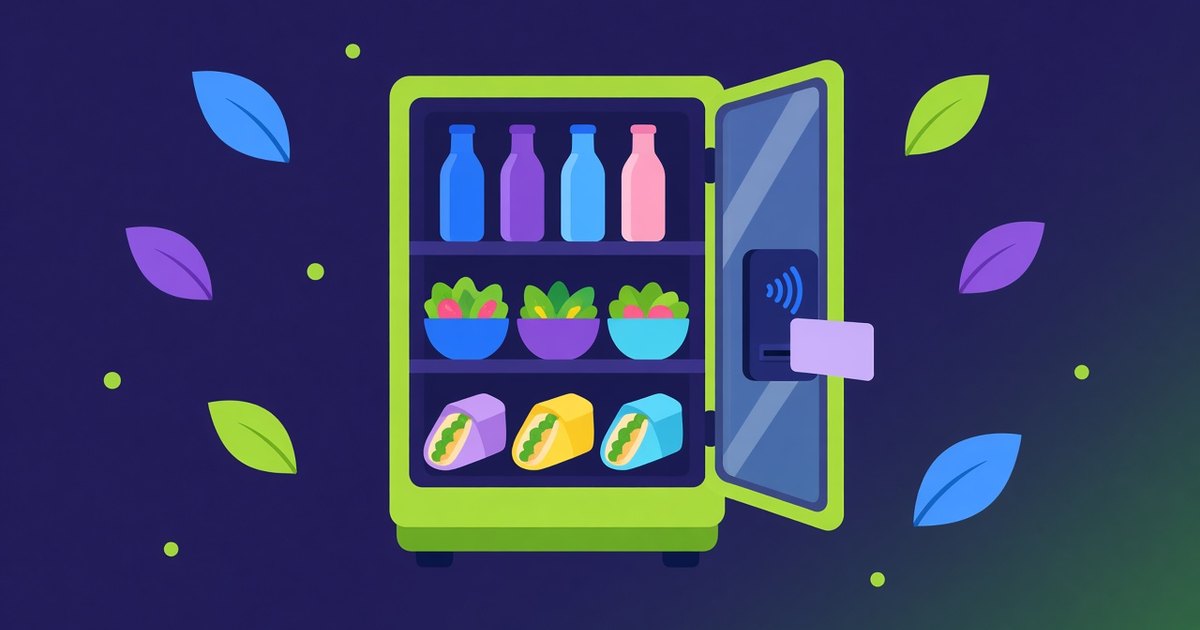
A vending cooler looks like a shop fridge but opens after payment. It holds products that would not fit an ordinary machine.
- A small shop behind a glass door
- Typical range
- Sandwiches, salads, and heat-up meals
- Dairy, drinks, and fruit
- How buying works
- How the cooler recognizes products
- Payments and charges
- Who it suits
- Space, power, and a microwave
- Restocking and freshness
- A stress-free first purchase
- Cleanliness and reporting problems
- What to check before you decide
- Example: an office on the edge of town
- FAQ
It's one o'clock, and the nearest cafe is a drive away. In the break room stands a glass-front cooler with sandwiches, salads, and yogurts. There's no cashier and no register, just a card reader. Someone new at the company eyes it suspiciously and asks how it actually works. A vending cooler mainly holds chilled products: sandwiches, wraps, salads, heat-up meals, dairy, drinks, and fruit. The customer pays by card or phone, opens the door, picks items, and closes it, and the system charges only for what was taken. The format suits places where people need a full meal. This post covers what you'll usually find inside, how buying works, who it suits, and what to check before you decide.
A small shop behind a glass door
The easiest way to think about a vending cooler is as a very small self-service shop. Products sit on shelves, the customer sees them, picks them up, and chooses. The difference is that the door opens only after payment, and the system, not a cashier, produces the bill. That's a completely different experience from a spiral machine, where the customer enters a selection number and waits for the item to drop. In a cooler, you can read the label, compare two salads, and change your mind. That's why the format works for products that wouldn't survive a fall or have unusual shapes. A sandwich in a box, a salad in a bowl, a meal in a tray. In a spiral, all of that would be trouble. In a cooler, it simply sits on a shelf.
Typical range
What's inside depends on the operator and the site, but it usually looks similar:
- Sandwiches and wraps.
- Salads and meals.
- Yogurts and milk drinks.
- Drinks and water.
- Fruit.
Desserts, snacks, or products for a specific audience may be added. An office cooler may lean toward light lunches, while a workplace cooler may carry more filling meals. The operator picks the range based on sales and what people look for. If something is missing, tell them. The operator won't guess that several people on the team are vegetarian until someone says so. A short message or a quick survey among employees often tells more than weeks of watching sales.
Sandwiches, salads, and heat-up meals
Meals are usually the most important part of a cooler. Sandwiches and wraps are quick and easy, because they need nothing but your hands. Salads offer a lighter option. Heat-up meals are what turn a cooler into a real alternative to lunch, as long as there's a microwave nearby. Without one, those meals make little sense, so keep that in mind when planning. The producer gives heating instructions on the package. All of these products have short dates. That means the operator has to swap them regularly and keep an eye on dates. You'll find dates and storage conditions on the label. If you spot a product past its date, report it to the operator. Better once too often than once too few.
Dairy, drinks, and fruit
Besides meals, a cooler usually offers something for smaller appetites. Yogurts and milk drinks work as a mid-morning bite or an afternoon snack. Drinks and water are almost always there, because a cold drink is something people look for all year, and especially in summer. Fruit is a good option for people who want something light. Not every fruit handles refrigeration well, so what ends up on the shelves is the operator's call. With dairy and everything else, ingredient and allergen information matters. You'll find it on the product label. If you have an allergy or intolerance, read the label every time you buy, even if the product looks familiar. Recipes sometimes change.
How buying works
Pay, open, choose, close. The cooler recognizes what was taken, and the customer gets a transaction confirmation per the operator's system. In practice, the customer taps a card or phone on the reader. Once the payment is approved, the door unlocks. The customer takes what they need and closes the door. Only then does the system work out the final amount. If the customer picks up a product and puts it back before closing the door, they don't pay for it. It's best to return items to the same spot they came from, because correct recognition may depend on it. Exactly how the confirmation appears, for example on a screen or in an app, depends on the operator's system.
How the cooler recognizes products
The cooler detects which products were taken using shelf scales, RFID tags, or cameras, depending on the model.
Payments and charges
A vending cooler is usually cashless. That follows from its design. The door unlocks after the payment is authorized, and the final amount depends on what the customer takes. So you need a card, a phone, or another cashless method. Check the signs on the device, because that's where the operator lists the accepted payment methods. When the charge appears on your account depends on the payment system and your bank. If something doesn't add up, the customer contacts the operator, who handles it according to their own procedures. It helps if the contact details are visible on the cooler. The operator sets the prices, and they should be shown next to the products or on the screen.
Who it suits
Offices, workplaces, hotels, and places with no canteen. The page on vending coolers (publisher's site) has examples. In an office, a cooler helps when there are few restaurants nearby or people don't have time to go out for lunch. In a plant that runs shifts, it can feed the night shift when the canteen is closed. In a hotel, it gives guests a chance at dinner after a late arrival. In a hospital or clinic, it can serve staff and visitors outside cafeteria hours. The common thread is simple: people need a real meal, not just a candy bar, and have nowhere to buy one. Where everyone goes out to restaurants for lunch, a cooler may not sell enough.
Space, power, and a microwave
A vending cooler needs a spot that customers can reach, room for the door to open, and suitable power. The requirements are on the rating plate and in the manual, and an electrician can confirm whether the wiring at the spot is suitable. The device often needs a network connection too, to handle payments and send data to the operator. The manufacturer's manual says how much clearance to leave around the cooler for ventilation. If the cooler will carry heat-up meals, there should be a microwave nearby. Without one, customers will buy a meal once and then stop. A trash can next to it helps too, ideally with sorting. Sandwich wrappers have a way of ending up on the nearest windowsill.
Restocking and freshness
Fresh products are a cooler's biggest strength and its biggest challenge. The operator has to bring new stock regularly, swap products nearing their dates, and keep the shelves clean. How often deliveries happen depends on sales, the range, and the site. There's no single number that fits everywhere. The cooler's system usually shows the operator what sold, which helps plan deliveries and cut food waste. The producer gives storage conditions on the label, and the operator is responsible for following them. The operator also knows the requirements for the food being sold and checks with an advisor or the relevant authorities when in doubt. The company hosting the cooler should know whom to call about problems, for example when the cooler seems too warm.
A stress-free first purchase
Many people feel a little unsure the first time they use a vending cooler. Am I really allowed to open the door? What if I take a yogurt and then change my mind? Will the system charge me for two sandwiches instead of one? These questions are natural, and it helps if the cooler answers them before anyone asks out loud. A short set of instructions on the door, listing the steps, usually clears up most doubts. On your first purchase, take your time. Tap your card, wait for the unlock signal, take your item, and close the door all the way. Then check the transaction confirmation. If something looks odd, note the time of purchase and contact the operator. Those two details make it much easier to sort things out. After a few purchases, the whole thing feels as ordinary as buying coffee from a machine.
Cleanliness and reporting problems
A cooler with food has to be clean, and it shows right away. A dirty glass door, spilled yogurt on a shelf, or a smell nobody wants to describe will put people off fast. The operator is usually responsible for cleaning the inside and the shelves, and the agreement describes the scope of those duties. The company hosting the cooler can still help by reporting problems quickly. If something spilled, the door doesn't close properly, or an error message appears on the display, let the operator know right away. Don't try to fix the device yourself or look inside it beyond the area meant for customers. The manufacturer's manual says what counts as everyday use and what belongs to service. When everyone looks after the cooler a little, it stays a place people are happy to use for a long time.
What to check before you decide
Before installing a vending cooler, go through a short list:
- whether people at the site need meals, not just snacks,
- whether there is a canteen or cafe nearby, and when it's open,
- whether people pay by card or phone,
- whether there is room for the cooler, including space for the door and ventilation,
- whether there is suitable power and connectivity,
- whether there is a microwave nearby, if heat-up meals are on the menu,
- how often the operator will restock,
- how to reach the operator when there's a problem.
If you don't know an answer, write the question down and ask the operator before signing the agreement.
Example: an office on the edge of town
Picture an office in a business park on the edge of town. There's nothing around but parking lots and other office buildings. Employees bring food from home or order delivery, which often arrives late. The office manager talks to the operator. A vending cooler with sandwiches, salads, heat-up meals, and yogurts goes into the break room. There's already a microwave next to it. A short set of instructions and the operator's number appear on the cooler door. For the first few days, people approach carefully, read labels, and put items back in place. After a few weeks, the operator adjusts part of the range, because salads sell faster than sandwiches. Delivery orders don't disappear, since on Fridays the team still likes to order something together. But nobody eats a coworker's yogurt from the shared fridge at two o'clock anymore.
FAQ
Does a vending cooler take cash? Usually it is cashless. Check the device's signs.
Can I put an item back? Yes, before closing the door – ideally in the same spot.
Where do I find allergen information? On the product label. Read it every time you buy.
What if the cooler charges me for something I didn't take? Contact the operator. They will handle it according to their procedures.